Your desk is not a storage unit; it's a high-performance engine for your professional output. Yet, for many of the 80% of remote-capable workers in 2026, the workspace has become a graveyard of tangled cables and cheap plastic accessories. You shouldn't have to choose between modern connectivity and a clean aesthetic. Mastering your minimalist desk setup essentials requires moving past temporary fixes toward a unified, modular system that respects your time and your environment.
We understand the frustration of evolving device connectors and the visual static of a cluttered surface. Visual clutter competes for your attention and increases stress levels, according to research from the Princeton Neuroscience Institute. This guide provides a sophisticated roadmap to a future-proof office that lasts well beyond the current year. You will learn how to implement a sleek, rail-based architecture that enables one-handed docking and integrates premium hardware into a single aesthetic unit. It's time to transform your WFH station into a sanctuary of order and industrial precision.
Key Takeaways
- Shift your mindset from temporary home office fixes to a permanent professional ecosystem designed for deep work.
- Identify the minimalist desk setup essentials that prioritize vertical space and integrated cable management to reclaim your surface area.
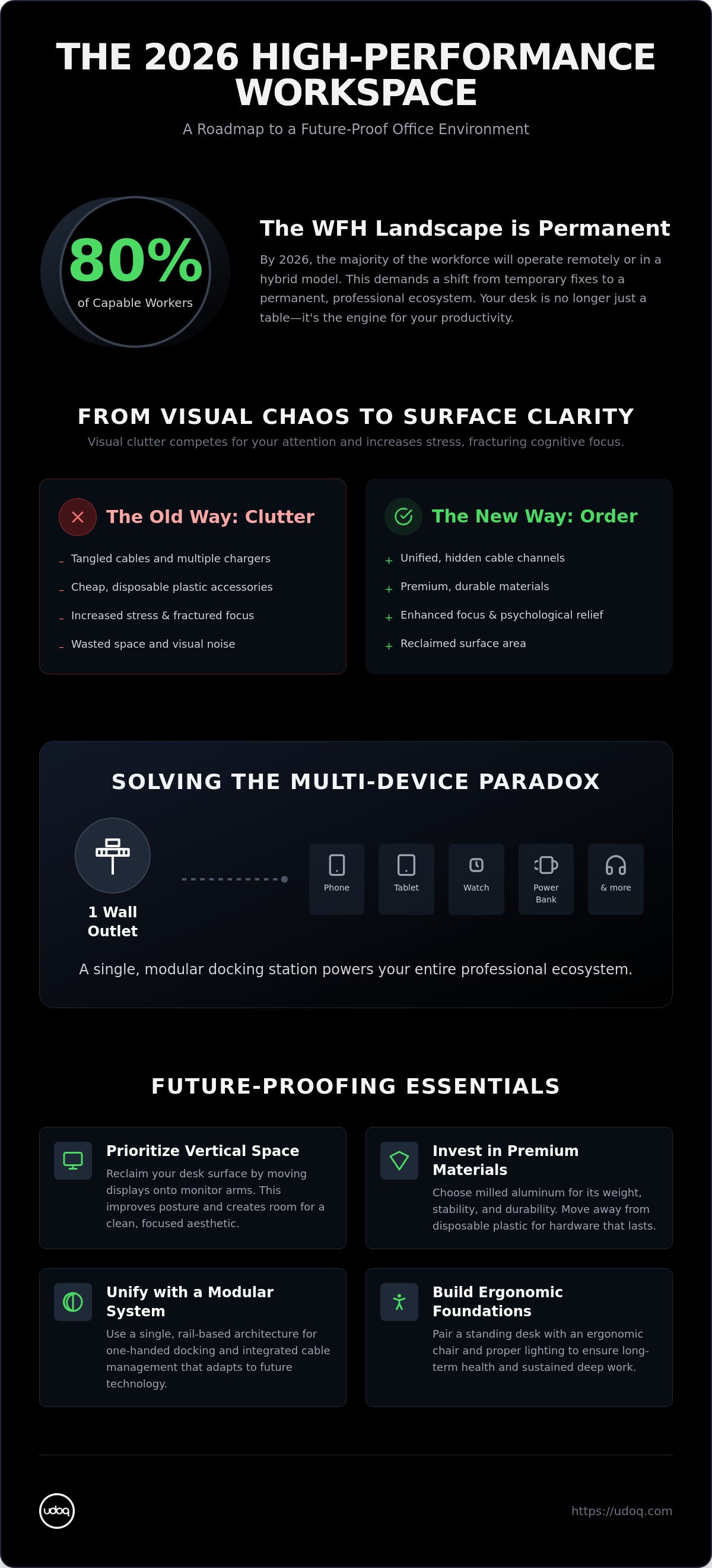
- Solve the multi-device paradox by using a single modular docking station to power up to ten devices through one wall outlet.
- Achieve surface clarity by transitioning from individual cables to unified, hidden channels that eliminate visual noise.
- Prioritize long-term value over disposable trends with modular hardware engineered for durability and future tech standards.
The 2026 WFH Landscape: Beyond the Traditional Desk
Remote work is no longer a temporary adjustment. In 2026, 53% of remote-capable U.S. workers operate in a hybrid model; another 27% are fully remote. Your desk has evolved into a permanent professional hub. This shift demands a move away from individual gadgets toward a unified ecosystem. An effective minimalist desk setup essentials strategy prioritizes this systemic approach. It replaces the chaos of disparate accessories with a singular, high-performance environment.
Chaos is a direct competitor to deep work. Visual clutter competes for your attention and increases stress levels. This isn't just an aesthetic preference; it's rooted in the minimalist philosophy of removing the non-essential to focus on the meaningful. When multiple chargers and tangled cables dominate your surface, they create a tech clutter crisis that fractures your cognitive focus. Professional productivity requires a workspace that offers psychological relief through order.
To better understand how to streamline your workspace, watch these essential lessons:
The Multi-Device Reality of 2026
Modern workflows require managing a professional smartphone, tablet, and smartwatch simultaneously. The rise of secondary screens and dedicated communication devices has rendered traditional power strips insufficient. These old standards cannot handle the high-speed tech requirements of 2026. A truly effective minimalist desk setup essentials list must include a centralized power solution. You need a system that powers your entire ecosystem through a single wall outlet without the typical cable nest. This level of organization ensures you stay connected without sacrificing surface clarity.
Defining Your Aesthetic: Minimalist vs. Functionalist
Choosing between a clean desk and accessible tech is a false dichotomy. You can achieve both. The 2026 aesthetic favors "warm minimalism," combining natural materials with high-end industrial design. Move away from disposable plastic accessories that look unprofessional and lack durability. Invest in permanent tech fixtures made from premium materials like milled aluminum. These pieces offer longevity and stability. They transform your desk from a cluttered surface into a sophisticated station where every device has a dedicated, ready-to-use position. This is the intersection of high-end lifestyle and functional innovation.
Essential Hardware for a High-Performance Workspace
The hardware stack defines your daily efficiency. A high-performance workspace requires more than just a fast processor; it demands a deliberate selection of materials and physical supports. While many lists of minimalist desk setup essentials focus solely on keyboards or mice, the true differentiator is the infrastructure that holds your technology together. Professional environments in 2026 prioritize vertical space and material integrity over disposable plastic accessories. Milled aluminum and high-grade steel provide the weight and stability required for a sophisticated station. These materials reflect a commitment to quality that plastic cannot match.
Reclaim your desk surface by moving displays onto monitor arms. Vertical space is the most underutilized asset in the modern home office. Lifting your screen to eye level improves your posture and creates room for a clean, focused aesthetic. It allows the desk to remain a dedicated workspace rather than a storage shelf for peripherals. This structural shift is the first step in moving from a cluttered surface to a streamlined professional hub.
Ergonomic Foundations: Desk and Chair
Longevity starts with your physical posture. Standing desks remain a non-negotiable requirement for long-term health and sustained focus in 2026. Pair your desk with an ergonomic chair designed for 8+ hours of deep work. Following professional ergonomic workstation tips ensures your physical comfort matches your digital speed. Avoid the glare of poor lighting. Optimize natural light where possible, but supplement it with professional-grade LED desk lamps to reduce eye strain during evening sessions. High-fidelity audio completes the environment, ensuring clear communication during the professional remote tier of meetings.
Computing Power and Connectivity
Choose your primary machine based on your mobility requirements. 2026 workflows often blur the line between laptop portability and desktop power. Regardless of your choice, connectivity is the bottleneck. Standardize your setup around the ultimate guide to USB-C to ensure cross-device compatibility. This single connector standard simplifies your hardware stack and eliminates the need for multiple proprietary chargers.
While Thunderbolt docks manage data-heavy peripherals, they often fail at organizing the physical device ecosystem. This is where modular charging rails excel. They move beyond the "plastic brick" aesthetic of traditional docks. By integrating power directly into a stable, aluminum rail, you eliminate the need for third-party cables cluttering the surface. For those seeking a professional edge, exploring high-end charging stations is the final step in hardware optimization. This centralized approach ensures every device is powered, accessible, and perfectly aligned.
Solving the Multi-Device Paradox with Modular Docking
Standard chargers are a compromise. They clutter your surface with plastic bricks and tangled wires. A modular docking station is an investment in order. It functions as a single, high-performance unit for your entire mobile ecosystem. This architectural approach is a cornerstone of minimalist desk setup essentials in 2026. By treating your charging infrastructure as a permanent fixture rather than an afterthought, you eliminate the visual noise that hinders productivity.
Efficiency is the primary objective. A single wall outlet can power up to ten devices when managed through a centralized modular rail. This eliminates the need for multiple power strips and the inevitable cable nest they create. The engineering behind the system allows for effortless, one-handed docking. You shouldn't have to steady a charger with one hand while plugging in a device with the other. Swappable connectors ensure that as your hardware evolves, your docking station remains functional. Select a rail length that matches your specific desk footprint and device count. Options like the udoq 250, 400, 550, or 700 provide the flexibility to scale your setup as your professional needs grow.
The udoq 400: A Masterclass in Tech Organization
The udoq 400 premium watch dock demonstrates the power of integrated design. Its milled aluminum rail system conceals all internal wiring, moving cables from the desk surface into a hidden channel. This creates a single, sleek profile for your smartphone, tablet, and smartwatch. It transforms disparate gadgets into a unified tech installation. The result is a workspace that looks as professional as the work you produce.
Adapting to Changing Standards: Qi2 and USB-C
Modularity is the only way to future-proof your workspace against new device releases. Static 3-in-1 chargers are often rendered obsolete by changes in device dimensions or connector standards. A modular system avoids this trap. Use the MAGNETIC ADAPTER for seamless magnetic charging integration that aligns with the latest Qi2 standards. For wired connections, the C-CABLE and L-CABLE support both modern and legacy hardware simultaneously. This adaptability ensures your minimalist desk setup essentials remain relevant regardless of how industry standards shift. It's a long-term investment in an environment that evolves with you.
Spatial Design: Cable Management and Surface Clarity
Traditional cable management focuses on hiding mess under the desk with trays or zip ties. This is a flawed strategy. It ignores the cables you actually need on your surface to charge and interact with your devices. The 2026 approach to minimalist desk setups treats cable management as a surface-level design choice rather than a hidden chore. By moving cables from the desk surface into unified, internal channels, you achieve true visual clarity. This systemic shift allows you to maintain a high-functioning workspace without the typical "cable nest" associated with multi-device environments.
The ultimate objective is the One-Cable goal. This involves reducing the visual noise of your power supply to a single point of entry. Instead of ten individual wires snaking across your wood or metal surface, a single cord powers a centralized hub. This doesn't just look better; it simplifies your environment. Reducing external stimuli allows your brain to focus on complex tasks without the constant distraction of physical disorder. It's a fundamental principle of modern spatial design.
Surface-Level Unity
Eliminate the nest of tangled wires near your keyboard and mouse. A rail-based system is one of the most critical minimalist desk setup essentials because it keeps devices upright and functional while they charge. This vertical orientation prevents your smartphone and tablet from lying flat and consuming valuable horizontal area. It also ensures uniform device alignment. A professional look requires precise geometry. When your tech is perfectly aligned on a milled aluminum rail, the aesthetic benefit is immediate. Your devices become part of a single, cohesive unit rather than a collection of scattered gadgets.
Off-Desk Solutions: Wall Mounting
Sometimes the best way to manage your desk is to leave it entirely. Move your charging station to a WALL MOUNT to save space. This is an ideal placement for smart home controllers or tablets used for dedicated communication and video conferencing. You can reclaim 20% more desk space through strategic vertical tech storage. This transformation turns a cluttered corner into a sleek, industrial installation. It's particularly effective in smaller home offices where every square inch of the surface is a premium asset. By utilizing the vertical plane, you free up your primary workspace for the tools that matter most. If you're ready to reclaim your environment, view our modular wall mount options to see how vertical organization changes your workflow.
Future-Proofing: Building for Longevity in 2026 and Beyond
Longevity is the ultimate form of sustainability. In a tech landscape defined by rapid iteration, the most critical minimalist desk setup essentials are those that adapt rather than expire. "Engineered in Germany" is more than a geographic marker. It represents a commitment to mechanical precision and material durability. While some suggest buying the highest wattage charger available today, wattage is irrelevant if the physical connector standard changes or your device dimensions shift. A truly future-proof workspace relies on a modular architecture that evolves alongside your hardware.
Investment in quality is a financial strategy. Replacing cheap plastic chargers annually is inefficient and expensive. A modular rail system provides a permanent solution. It handles the transition to universal USB-C and Qi2 standards with ease. You aren't buying a temporary accessory; you're installing a long-term fixture. This approach ensures your environment remains stable even as your mobile devices change. It's the difference between a disposable workspace and a professional investment.
The Modular Investment
Sliding connectors are the core of this technical innovation. They allow your dock to adjust to varying device thicknesses and port placements. This flexibility is why high-grade aluminum beats composite plastics every time. Aluminum provides the structural integrity needed for years of daily use. It also significantly reduces e-waste. By maintaining a single, high-quality docking rail for years instead of discarding static plastic docks every time a new phone is released, you contribute to a more sustainable professional ecosystem. Durability is the highest standard of craftsmanship.
Final Setup Strategy
Maintaining a high-status environment requires discipline. Implement a 5-minute daily reset. Clear your surface of loose papers and return all mobile devices to their designated docking positions. For those requiring maximum performance, integrating the udoq POWER series ensures high-speed charging for your entire hardware stack. This final layer of power management completes the transition from a cluttered desk to a professional sanctuary.
Your environment dictates your professional output. A workspace defined by order, industrial precision, and premium materials fosters the clarity required for high-level decision making. Master your space. Eliminate the chaos. Build a setup that serves your productivity today and remains relevant in the years to come. Clarity is not just an aesthetic; it's a competitive advantage.
Secure Your 2026 Productivity Sanctuary
A high-performance workspace requires a shift from temporary fixes to permanent, industrial-grade solutions. Mastering your minimalist desk setup essentials involves more than just hiding cables; it requires a unified, modular ecosystem that respects both your time and your cognitive focus. By prioritizing vertical storage and material integrity, you transform your desk into a sanctuary of order. This structural clarity is the foundation of long-term professional output in the 2026 hybrid landscape.
Don't settle for disposable plastic accessories that clutter your surface and fail as standards evolve. Invest in a system that grows with your technology. Our patented modular design, engineered in Germany, offers the durability and flexibility your career demands. Featuring sleek high-grade aluminum construction, our systems support up to 10 devices from a single outlet while maintaining a pristine aesthetic. Explore the udoq collection of modular charging stations to finalize your professional upgrade. It's time to build an environment that works as hard as you do.
Frequently Asked Questions
What are the essential tech items for a minimalist desk setup in 2026?
The core minimalist desk setup essentials in 2026 include a standing desk, a single high-resolution monitor on an arm, and a centralized modular docking station. These tools prioritize vertical space and functional order. By reducing the number of individual power bricks on your surface, you reclaim the mental clarity needed for deep work. Invest in premium materials like aluminum to ensure your hardware remains a permanent fixture.
How can I organize multiple device chargers without it looking messy?
Use a rail-based modular system to consolidate power into a single hidden channel. This approach replaces the typical nest of tangled wires with one unified cable leading to a wall outlet. By docking devices vertically, you eliminate surface-level clutter while keeping your smartphone and tablet accessible. It's a systemic solution that treats cable management as an architectural choice rather than a hidden chore.
Is a modular docking station better than a standard USB hub for a WFH setup?
A modular docking station is superior because it provides physical stability and organization that a standard USB hub cannot offer. While hubs manage data, modular rails like the udoq 400 POWER manage the entire device ecosystem. They allow for one-handed docking and keep your surface clear of plastic bricks. This is a crucial distinction for professionals who value both technical performance and aesthetic precision.
How do I future-proof my home office for new device connectors?
Future-proofing requires a system with swappable internal components rather than fixed ports. Modular rails allow you to slide out an old connector and replace it with a new L-CABLE or C-CABLE in seconds. This adaptability ensures your setup remains compatible with the next generation of mobile devices. It's a sustainable choice that prevents your hardware from becoming e-waste when industry standards shift.
Can I charge an Apple Watch and an Android phone on the same dock?
You can certainly charge multiple brands simultaneously on a single modular rail. Simply slide the specific adapters you need into the aluminum channel. You can position an Apple Watch charger directly next to a USB-C or MAGNETIC ADAPTER for an Android device. This universal utility is a signature of modular engineering. It eliminates the need for brand-specific charging mats that consume excessive desk real estate.
What is the best way to manage cables on a minimalist desk?
The most effective way to manage cables is to move them entirely off the desk surface or into a centralized hub. Integrated channels within a docking rail hide the internal wiring of your minimalist desk setup essentials. This creates a "One-Cable" environment where only a single power cord is visible. Reducing these visual distractions allows for a more focused and professional work-from-home experience.
Are aluminum docking stations worth the extra cost over plastic ones?
Aluminum docking stations are a long-term investment in stability and quality. Unlike cheap plastic alternatives, high-grade aluminum provides the necessary weight to remain stationary during one-handed docking. It reflects a commitment to fine craftsmanship and industrial design. The material integrity ensures the station won't crack or warp over time. It's an essential choice for those who appreciate the psychological relief of a tidy environment.
How do I set up a charging station for a family with different device brands?
Select a high-capacity rail like the udoq 700 to accommodate a diverse range of family hardware. You can customize the connector sequence to fit iPhones, Android tablets, and e-readers all in one row. This creates a central household hub that eliminates the search for individual chargers. It's a practical, high-status solution for managing the multi-device paradox in a modern, connected home.