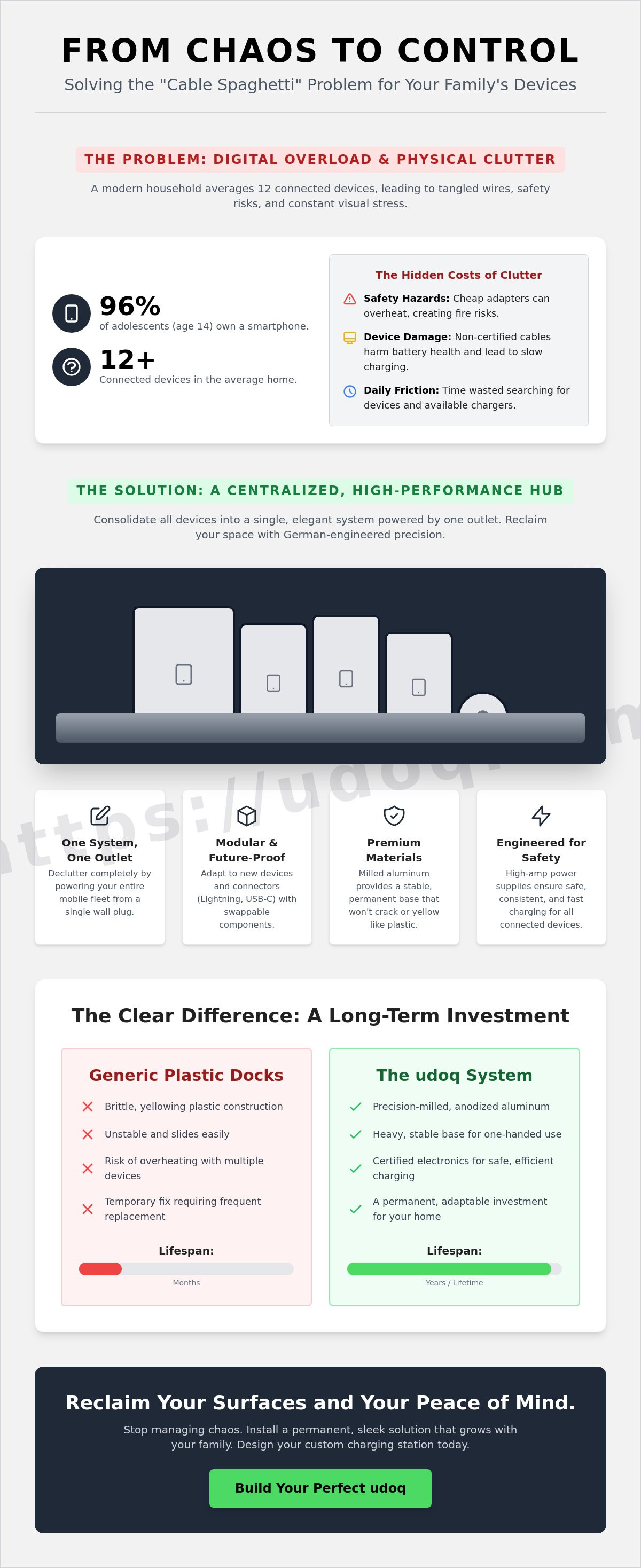
By age 14, 96% of adolescents in the U.S. own a smartphone, contributing to the 12 connected devices now found in the average modern household. This proliferation often results in "cable spaghetti" across kitchen counters and living room floors. If you're struggling with tangled cords and dead batteries, learning how to organize all family ipads and iphones is no longer a luxury; it's a necessity for a functional home.
It's exhausting to manage a household where devices are scattered and charging is a safety gamble. You deserve a space that reflects your standards of order and design. This guide will show you how to transform your digital chaos into a streamlined tech hub using industrial-grade hardware and Apple's latest ecosystem features. We'll explore centralized charging stations like the udoq 550, digital sharing strategies for iOS 26.5, and the path to powering your entire mobile fleet from a single wall outlet. Get ready to reclaim your surfaces and your peace of mind with a permanent, sleek solution.
Key Takeaways
- Leverage Apple Family Sharing to unify subscriptions and streamline digital management across the household.
- Discover how to organize all family ipads and iphones into a single, high-performance charging hub that replaces cable clutter with one wall outlet.
- Select the optimal central location for your tech hub to maximize accessibility and maintain a tidy, professional home aesthetic.
- Future-proof your environment with modular components that adapt to changing hardware standards and connector types.
- Transition from temporary plastic accessories to a permanent, milled-aluminum system designed for longevity and precision.
The Digital Foundation: Setting Up Apple Family Sharing
Physical clutter often mirrors digital chaos. When devices aren't synced, they drift into different corners of the home. Establishing a digital foundation is the first step in learning how to organize all family ipads and iphones effectively. By centralizing subscriptions through Apple One, you eliminate administrative friction. A Family plan at $25.95 per month or a Premier plan at $37.95 per month allows six people to share up to 2TB of storage. This ensures every photo and document has a digital home before the hardware ever touches a dock. Using the latest iOS 26.5 features, these connections are more seamless than ever.
Visibility is your best defense against disorder. The Find My network allows you to locate a misplaced iPad in seconds. This prevents devices from disappearing into the "tech graveyard" under sofa cushions or in forgotten backpacks. Proper cable management begins with knowing exactly which devices are active in your household ecosystem. If a device isn't in the Find My list, it shouldn't be taking up space on your charging rail.
To better understand how to streamline your digital environment, watch this helpful video:
Configuring Your Family Sharing Group
Designate one adult as the family organizer. This person manages the primary Apple Account and shared payment methods. Send invitations via iMessage for instant access to the group. Shared iCloud+ storage keeps family memories organized in one location. Standalone storage options are flexible. They range from 200GB for $2.99 to 12TB for $59.99 per month. Consolidating these services into a single billing statement reduces the mental load of managing a high-tech household.
Managing Child Accounts and Screen Time
Children under 13 need dedicated IDs managed by an adult. Enable the "Ask to Buy" feature to require parental approval for every App Store transaction. This maintains strict control over both content and household spending. Scheduling "Downtime" creates a clear boundary between digital life and rest. When the screen locks at a set hour, it signals that the device belongs in one of your designated charging stations. This routine prevents devices from being left on the floor or in bed. It reinforces physical order through digital automation. Every iPhone stays accounted for, charged, and ready for school the next morning. Digital limits are the precursor to a tidy physical environment.
Physical Order: Solving the 'Cable Spaghetti' Problem
Visual noise creates friction. A kitchen counter buried in tangled cables isn't just an eyesore; it's a source of daily household stress that affects your focus. Achieving true physical order means moving beyond the 'Tech Graveyard,' that cluttered drawer filled with obsolete 30-pin and micro-USB cords. As families manage the transition from Lightning to USB-C, handling multiple connector types becomes a logistical nightmare. Learning how to organize all family ipads and iphones requires a system that handles this hardware evolution without adding to the mess.
Standard power strips are often insufficient for modern high-capacity devices. Charging four or five iPads simultaneously can overwhelm cheap multi-port adapters, leading to significant heat buildup. While you secure your family's digital habits using the FTC's guide to protecting kids online, you must also prioritize physical safety. High-quality hubs use dedicated power supplies designed for consistent, high-amp output across all ports. This prevents the 'vampire power' draw and overheating common in unmanaged charging setups.
The Hidden Cost of Cheap Charging Docks
Generic plastic stands are a temporary fix at best. They frequently fail under the weight of an iPad Pro or slide across the desk when you try to dock a phone. Many budget options rely on non-certified cables that lack proper insulation. This leads to slow charging speeds and potential damage to your device's battery health. Investing in professional-grade materials prevents the cycle of replacing brittle, yellowing plastic every few months. Quality hardware is a long-term investment in your home's infrastructure.
Defining the Modular Charging Station
A professional tech hub is defined by its modularity. Rather than a static block that becomes obsolete with the next iPhone release, a rail-based system allows you to slide, swap, and rearrange connectors. Milled aluminum serves as the core material. It provides the necessary weight for one-handed docking and acts as a high-performance heat sink during rapid power delivery. This industrial approach ensures your charging station remains a permanent fixture in your home. You simply update the internal cables to match new standards like USB-C. This flexibility eliminates the waste associated with disposable tech accessories. Explore the original modular design to see how precision engineering resolves the friction of evolving hardware.
Designing Your Family Tech Hub: A Layout Guide
Strategic placement is the cornerstone of a functional home. When considering how to organize all family ipads and iphones, don't default to the bedroom. This invites blue light into sleeping areas and scatters your hardware across multiple rooms. Instead, choose a high-traffic neutral zone. A centralized hub ensures every device is accounted for and charged before the morning rush. It transforms a scattered collection of electronics into a unified, managed system that everyone can access.
Safety is a critical factor that many DIY solutions ignore. Standard power strips and cheap multi-port adapters aren't engineered to handle the simultaneous draw of multiple high-capacity batteries. Overloading these circuits creates a legitimate fire risk in common living areas. Professional-grade stations like the udoq 700 POWER use sophisticated internal power management to distribute current safely. This allows you to power an entire fleet of electronics from one single wall outlet. It's a necessary investment for both safety and aesthetic clarity.
Before installing your hub, measure your device footprint. Account for the width of every iPad Pro and the slim profile of an iPhone. Vertical orientation is vastly superior to horizontal lying. It reduces the physical footprint by approximately 75%, allowing you to fit more technology into a smaller area. This approach keeps your devices upright and visible, making it easy to identify which unit belongs to which family member at a glance.
The Kitchen Command Center
The kitchen is the heart of the home and the natural docking zone for active families. It's where school bags are packed and daily schedules are checked. An elevated docking system protects your hardware from countertop spills and kitchen heat. For large households managing six or more devices, the udoq 700 provides the necessary rail length. It accommodates everything from an iPhone Mini to an iPad Pro without crowding the workspace. Vertical docking maximizes your square footage, keeping your counters clear for meal preparation and family interaction.
The Minimalist Entryway Setup
Establish a phone-free zone by positioning your hub in the entryway. This encourages family members to disconnect the moment they walk through the door. If surface space is at a premium, utilize a WALL MOUNT. This secures the rail directly to the wall, creating a floating aesthetic that complements high-end interiors. This approach turns your technology into a clean, organized gallery rather than a chaotic pile. For those seeking a similar aesthetic in their workspace, see our guide on how to create a minimalist desk setup. A tidy entryway sets the tone for a disciplined, organized home environment.
Future-Proofing Your Setup for New Apple Devices
Hardware standards are never static. Apple's journey from the 30-pin connector to Lightning, and the recent mandatory shift to USB-C, has rendered countless plastic docks obsolete. Static charging stations are a poor investment for modern families. They lack the flexibility required to survive a single upgrade cycle. When you consider how to organize all family ipads and iphones, you must look beyond today's specifications. A truly future-proof system uses a modular rail that adapts as quickly as the technology it holds.
Resale value is a significant factor in the Apple ecosystem. Devices maintained in pristine condition command higher prices on the secondary market. Loose cables are a primary cause of port wear and internal connection failure. By using a fixed, stable docking connector, you eliminate the mechanical stress of daily plugging and unplugging. This meticulous approach to hardware care ensures your investment remains protected. As the wireless charging market grows at a projected rate of 24.2% through 2030, your hub must also accommodate WIRELESS ADAPTER components to stay relevant.
The Modular Advantage
Precision engineering allows for a sliding connector system that adjusts to any device width. Whether you use a slim silicone sleeve or a ruggedized child-proof case, the connection remains secure. You can swap an individual L-CABLE for a C-CABLE in seconds without dismantling your entire configuration. This adaptability is the hallmark of a professional-grade solution. Explore the best iPhone charger solutions for 2026 to see why modularity is the only way to escape the cycle of disposable tech accessories.
Integrating Smartwatches and Accessories
A comprehensive tech hub must manage the entire Apple ecosystem. "Accessory creep" often leads to AirPods and Apple Watches cluttering side tables and nightstands. Dedicated attachments bring these peripherals into your central organization system. The udoq 400 Premium Watch provides a specialized mounting point for wearables, keeping them visible and charged. This unified approach eliminates the need for multiple disparate chargers. It creates a single, clean point of contact for every piece of technology your family owns. Stop settling for temporary fixes and configure your permanent tech hub to match your household's unique device mix.
The udoq System: German Engineering for Family Harmony
True order is a deliberate choice. When you decide how to organize all family ipads and iphones, you're investing in the atmosphere of your home. The udoq system moves beyond temporary plastic accessories. It utilizes a patented sliding technology that allows you to position every device with mathematical precision. This isn't a static dock; it's a dynamic rail system designed to grow with your family's needs. The psychological relief of seeing your technology perfectly aligned is immediate and profound.
Sustainability is built into the core of the design. Most charging stations become e-waste when a new connector standard arrives. udoq breaks this cycle. If you transition from Lightning to USB-C, you simply swap the L-CABLE for a C-CABLE. The high-grade milled aluminum rail remains a permanent fixture. It's built for decades, not months. This industrial-grade approach ensures your udoq 550 POWER or 700 model remains the centerpiece of your home organization strategy indefinitely. It's a systemic solution to a systemic problem.
Meticulous Design and Quality Standards
German engineering is synonymous with reliability. This prestige matters when managing high-voltage charging for multiple expensive devices. udoq rails provide the necessary weight for one-handed docking, a feature that light plastic stands can't replicate. The aesthetic language mirrors Apple's own minimalist design, ensuring your tech hub looks like a deliberate part of your interior. Read the ultimate guide to choosing a charging station to understand the technical specifications that separate professional hardware from consumer-grade toys.
Getting Started with Your Family Hub
Don't guess your requirements. Use the udoq configurator to match your specific list of devices, from the smallest iPhone to the largest iPad Pro. Installation is designed for efficiency. You can move from the box to a fully functional charging station in under 5 minutes. No tools are required for basic setup. It's time to reclaim your surfaces and eliminate the daily friction of "cable spaghetti" forever. Design your custom family docking station today and experience the clarity of a truly organized environment.
Master Your Household Tech Ecosystem
A tidy environment is the foundation of a focused life. You've established that digital order through Apple Family Sharing is only half the battle. True harmony requires a physical anchor. By centralizing your devices in a high-traffic neutral zone and utilizing vertical docking, you eliminate the daily search for missing hardware and the visual stress of tangled cords. Mastering how to organize all family ipads and iphones is the final step in reclaiming your living space from digital clutter.
Don't settle for temporary plastic stands that fail as technology evolves. Demand the longevity of patented German engineering and milled high-grade aluminum. A sustainable modular design ensures your hub stays relevant through every future iPhone and iPad release. It's time to transition from environmental chaos to a permanent, industrial-grade solution that respects your time and your home's aesthetic. Build your custom udoq family charging station to secure your household's tech infrastructure. Your organized, clutter-free environment is ready for you.
Frequently Asked Questions
How do I organize multiple iPads so they don't take up too much space?
Vertical docking is the most efficient method for space management. By standing devices upright on a modular rail, you reduce the required surface area by approximately 75%. This approach is essential when learning how to organize all family ipads and iphones on narrow kitchen counters or desks. It keeps every screen visible while maintaining a clean, professional aesthetic in your home.
Is it safe to charge five or more Apple devices from one wall outlet?
Safety depends entirely on the quality of your power management system. Professional stations like the udoq 700 POWER are engineered to distribute high-wattage current safely from a single outlet. They include sophisticated internal protections against overheating and surges. Don't attempt this with standard, unmanaged power strips; they aren't designed for the simultaneous draw of multiple high-capacity tablet batteries.
Can I use a charging station if my kids have thick protective cases on their iPads?
Modular rail systems accommodate almost any case thickness. The sliding connectors in the udoq system can be adjusted to fit ruggedized, child-proof iPad covers. You don't need to remove the protective casing to achieve a secure, stable charge. This flexibility is a core benefit of a precision-engineered docking solution that adapts to your family's specific hardware needs.
What is the best location in a house for a family charging hub?
High-traffic neutral zones are the most effective locations. The kitchen or a central entryway encourages family members to dock their devices as soon as they arrive home. This prevents technology from migrating into bedrooms where blue light disrupts sleep routines. A central location also makes it easier to manage how to organize all family ipads and iphones before the morning school run.
How can I future-proof my charging station for future iPhone models?
Future-proofing requires a modular hardware foundation rather than a static dock. Invest in a rail system that allows you to swap individual cables as standards evolve. As Apple transitions between connector types, you simply replace the internal C-CABLE or L-CABLE. This keeps your milled aluminum housing relevant for decades rather than months, regardless of industry changes.
Will a multi-device docking station charge my devices as fast as the original Apple wall brick?
High-performance hubs match or exceed original charging speeds. The udoq POWER series provides dedicated amperage to each port, ensuring that an iPad Pro charges just as quickly as it would with a standalone factory brick. Cheap, unpowered USB hubs often split the current; this leads to frustratingly slow charge times for larger devices that require significant power.
How do I hide the messy cables behind my family's charging station?
Choose a station that manages cables internally. Professional rails house all connectors and excess wiring inside a sleek aluminum profile, leaving only a single power cord visible. This design eliminates the "cable spaghetti" common with traditional charging setups. For a completely clear surface, consider using a WALL MOUNT to lift the entire hub off the counter entirely.
Can I mix iPhones, iPads, and Android devices on the same docking station?
You can absolutely mix different hardware standards on a single modular rail. Because the system utilizes individual sliding connectors, you can position a C-CABLE for an Android tablet next to an L-CABLE for an iPhone. This universal utility makes it a perfect long-term investment for households with diverse technology. You simply configure the connectors to match your current device mix.